
Frontend Dashboard Extra
Frontend Dashboard Extra WordPress plugin is a supportive plugin for Frontend Dashboard with supportive additional features likes extra Calendar for selecting date and time, Colors and File Upload for images.
License Checkout
Frontend Dashboard Extra
About Frontend Dashboard Extra
Frontend Dashboard Extra WordPress plugin is a supportive plugin for Frontend Dashboard with supportive additional features likes extra Calendar for selecting date and time, Colors and File Upload for images.
Key Features & Architecture
Discover what makes Frontend Dashboard Extra unique, reliable, and developer-friendly.
Date and Time Calendar
Shows Date and Time Calendar with high customizations like changing the date format, selecting date range and multiple selection and time with 12 and 24 hours

File Upload
Image files can be uploaded for the registered users in the Frontend Dashboard.

Colors
Choosing color by variety of hexadecimal codes

Plugin Screenshots & UI Preview
Click any screenshot below to inspect the interface and configuration settings in full resolution.
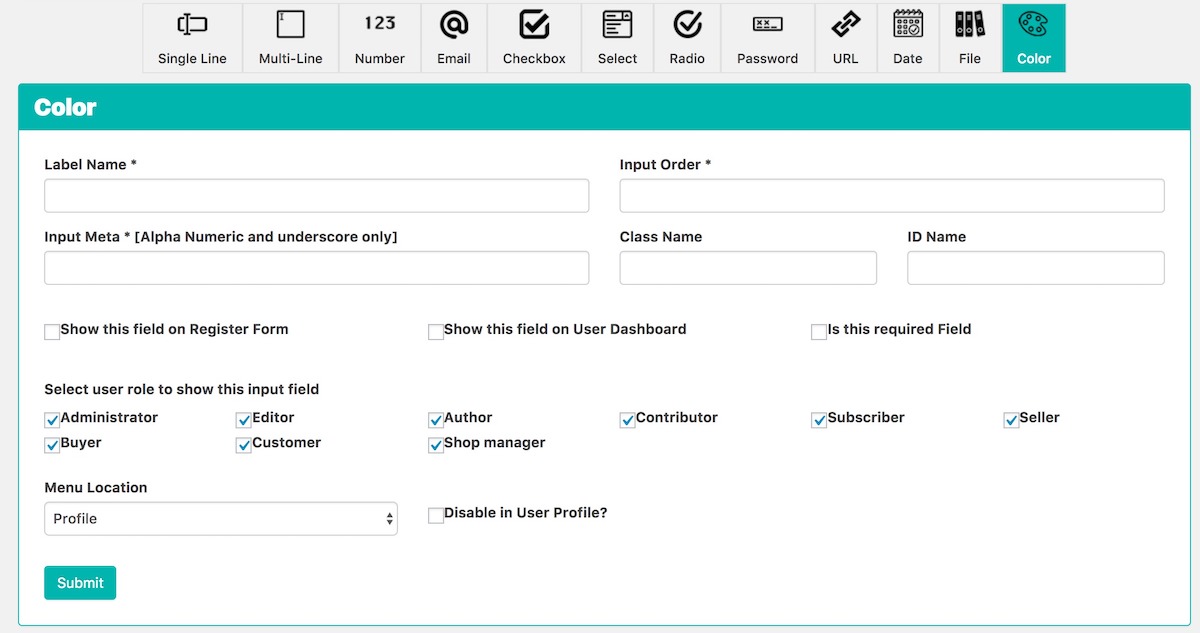
Frontend Dashboard Extra Color
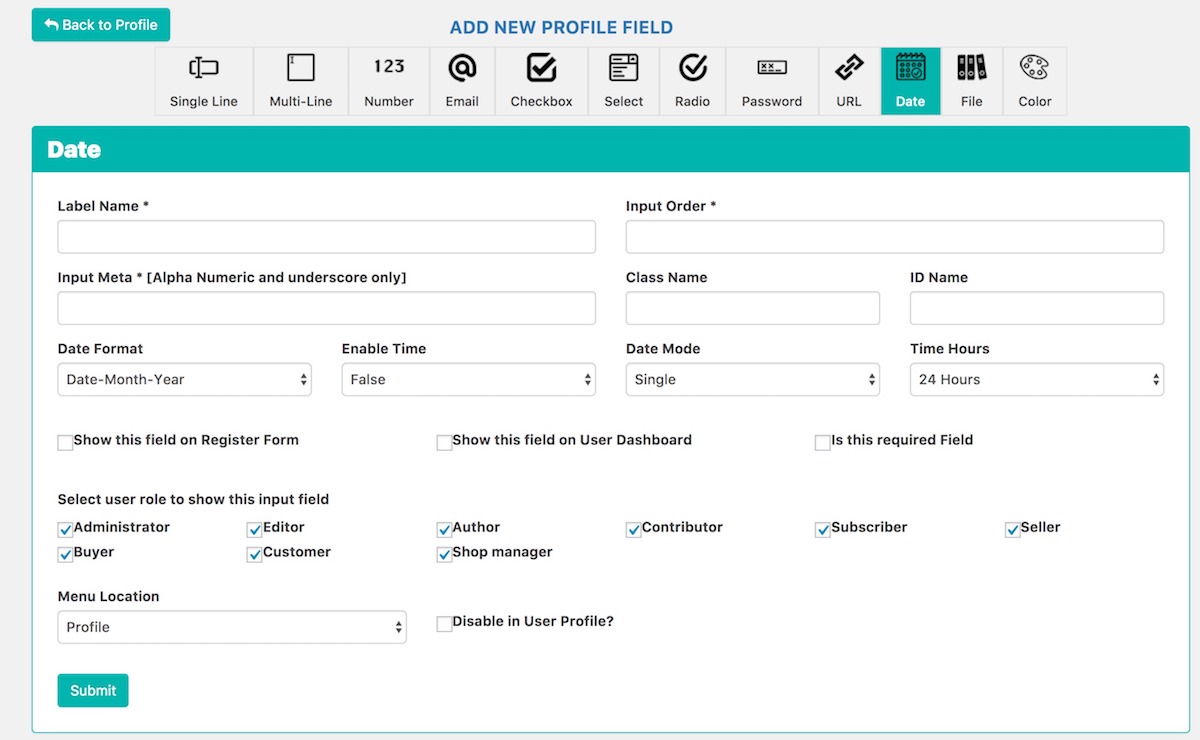
Frontend Dashboard Extra Date
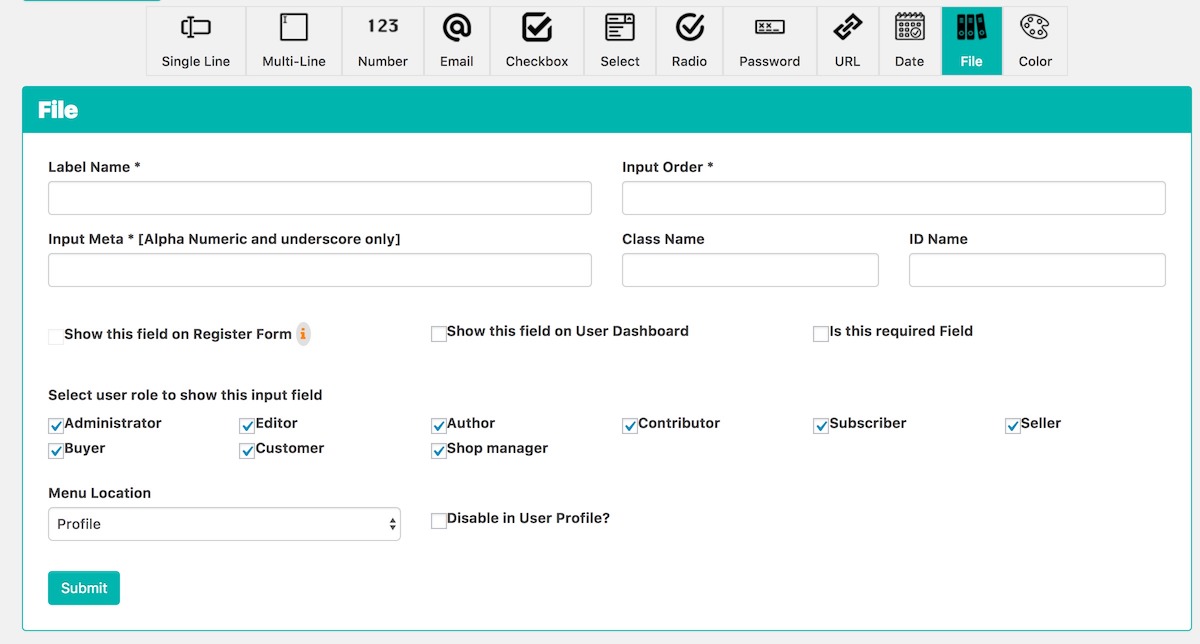
Frontend Dashboard Extra File
Changelog & Release Notes
Detailed history of improvements, bug fixes, and feature additions.
Frequently Asked Questions
Everything you need to know about Frontend Dashboard Extra installation, licensing, and usage.
2. Go to the plugins setting page and activate “Frontend Dashboard Extra”
3. Go to Frontend Dashboard and add the Date, Color and File input fields
4. Do save.